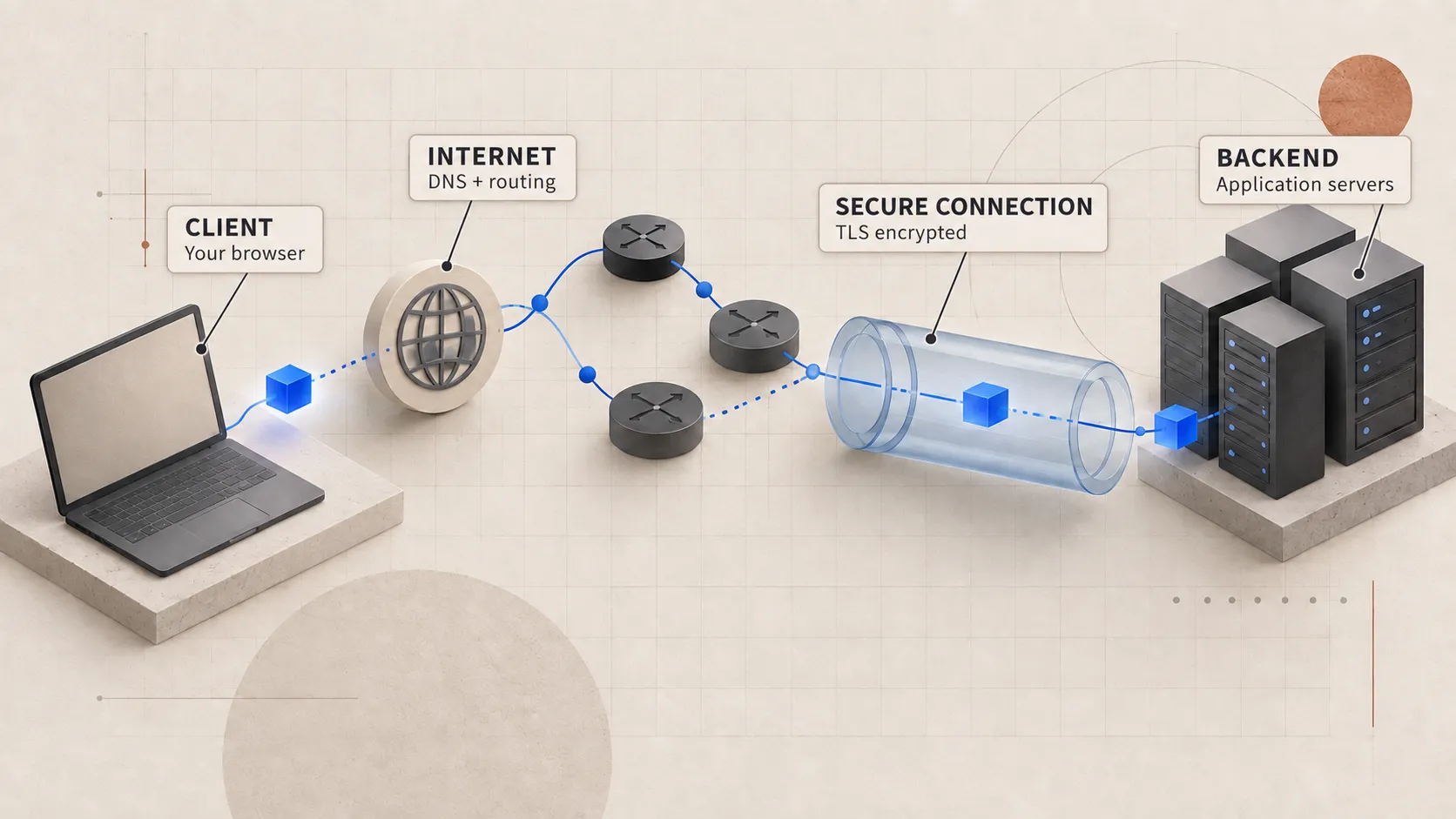
The request has reached the infrastructure behind the public address. It still has not reached the Node.js process that will create the order. Something at the edge has to decide where it goes next.
We often talk about a load balancer as if it is one box making one decision. In production, the request may pass through a CDN, a network load balancer, an HTTP ingress proxy, and another proxy beside the service. Each one sees a different part of the request and may make its own routing decision.
Why not expose every application server?
A stable entry point allows the application servers behind it to change without the client needing to know. It also means the platform can:
- clients do not need to know which instances currently exist;
- unhealthy instances can be removed from service;
- TLS certificates and security policy can be managed at the edge;
- traffic can be spread across capacity;
- requests can be routed by hostname or path;
- application instances can live on private addresses.
This is why the public hostname usually resolves to an edge address instead of the machine running the order handler.
Layer 4 chooses a connection
A Layer 4 load balancer makes its decision with transport information: the source and destination IP addresses, ports, and protocol. It can forward the TCP connection without reading the HTTP method, path, cookies, or headers.
A common selection input is a hash of the connection tuple:
source IP + source port + destination IP + destination port + protocolThe exact algorithm depends on the load balancer, but at Layer 4 it is usually choosing a destination for the connection. If that HTTP/2 connection later carries 200 requests, all 200 may stay on the same selected target unless another HTTP-aware proxy redistributes them.
Layer 4 balancing is useful when the infrastructure should support multiple protocols or preserve end-to-end TLS. Its limited application awareness also means it cannot route /orders differently from /catalog by looking at the HTTP request.
Layer 7 chooses a request
A Layer 7 proxy understands the application protocol. For HTTP, it can inspect the hostname, path, method, and selected headers.
api.shop.test/orders   → order service
api.shop.test/catalog  → catalog service
admin.shop.test/*      → admin service
At this point the proxy is doing application routing as well as distributing traffic. It may also terminate TLS, enforce request-size limits, change headers, compress responses, apply authentication rules, cache eligible responses, or return an error without contacting the application.
Because the proxy understands HTTP, its configuration becomes part of how the application behaves. A wrong path rewrite or timeout can break a route even when every application instance is healthy.
A reverse proxy creates two conversations
From the browser’s point of view, the reverse proxy is the server. From the application server’s point of view, the proxy is the client.
browser ← connection A → reverse proxy ← connection B → applicationConnection A and connection B can use different protocols and lifetimes. The browser might use HTTP/2 over TLS while the proxy uses HTTP/1.1 over a private connection pool to the application.
Those two separate connections explain several things that can look surprising in production:
- the application sees the proxy’s IP address unless client context is forwarded;
- the client disconnecting does not always immediately cancel upstream work;
- a proxy can retry an upstream request even though the browser sent it once;
- proxy timeouts can expire before the application finishes;
- an application log can show success after the client received a gateway timeout.
Forwarded headers should only be trusted from infrastructure you control. A public client can forge X-Forwarded-For unless the edge removes or normalizes untrusted values.
How a target is selected
Common balancing policies include:
- Round robin rotates across available targets.
- Least connections prefers the target with fewer active connections.
- Weighted selection sends more work to larger or newer capacity.
- Consistent hashing uses a stable key so related traffic tends to reach the same target.
- Random choice with load information samples targets and chooses the less busy one.
The load balancer cannot know the full cost of a request when it arrives. One /orders request may finish in 20 ms, while another waits four seconds for a payment provider. This is why connection and request counts are still imperfect signals of how busy a target really is.
Sticky sessions can keep one user on the same instance, but they can also create uneven load and make an instance failure more disruptive. Application servers that keep shared state elsewhere are easier to rebalance, although caches, open connections, and work already in progress still have to be handled.
Health checks are policy
The load balancer needs a way to stop sending new work to an instance that cannot serve it. It learns this from health checks and from failures it observes while forwarding real traffic.
A shallow check proves that the process can answer. A deeper check might verify database access or another dependency. Both can be wrong for different reasons:
- A shallow
200 OKcan leave a server in rotation even when it cannot perform its main job. - A deep check can remove every server when one shared database has a brief problem, turning a partial outage into zero capacity.
Readiness and liveness answer different questions. Readiness asks whether the instance should receive a new request. Liveness asks whether the platform should restart the process.
Health transitions also need thresholds. Removing a target after one slow probe creates flapping. Waiting too long keeps broken capacity in rotation. The right values depend on traffic, failure modes, and how quickly the platform can replace capacity.
502 and 503 tell different stories
Gateway errors often originate at the proxy, not the application.
502 Bad Gatewayusually means the proxy could not obtain a valid response from an upstream: connection refusal, reset, invalid protocol, or similar failure.503 Service Unavailableoften means no healthy capacity is available or the system is deliberately shedding load.504 Gateway Timeoutmeans a gateway waited longer than its configured upstream deadline.
These status codes are useful starting points, but they are not proof of the exact failure. The proxy logs and metrics should tell you what actually happened.
The server choice is not permanent
Auto-scaling changes the target set. Deployments replace instances. Health checks add and remove capacity. Long-lived connections can keep an older target busy after new targets arrive.
Graceful shutdown matters here. A server leaving rotation should stop receiving new work, allow in-flight requests a bounded time to finish, then close. Killing it immediately turns routine deployments into client-visible resets.
The model I use is:
The edge chooses a healthy route using the information it can see. Connection reuse, protocol behaviour, and the cost of each request determine how even the final distribution looks.
Once the edge chooses a healthy target, the request reaches that machine’s operating system and then enters Node.